


Check guild and channel permissions
Connect using the enabled Discord channel flow and select the intended destination. Confirm the integration can post in that channel; access to a server does not imply permission in every channel.
Prepare community announcements for the right Discord channel. Keep launch updates and discussion prompts separate so members receive relevant information.
Compare plans ↗
Enabled account types: Discord Channel
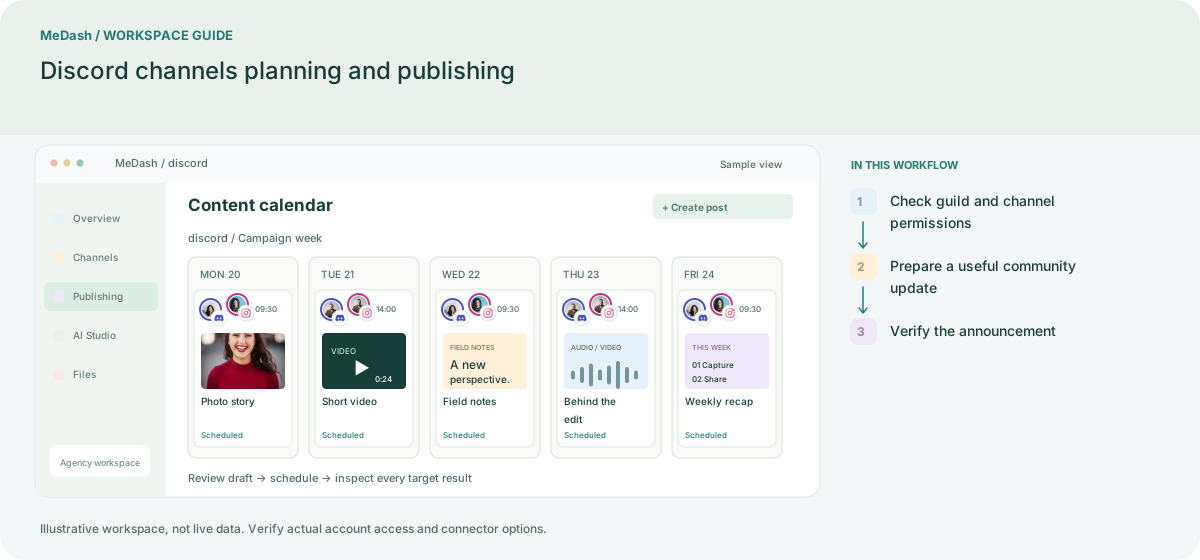
Connect using the enabled Discord channel flow and select the intended destination. Confirm the integration can post in that channel; access to a server does not imply permission in every channel.
Write the announcement for the channel topic, check the link and compatible attachments, and review any role mentions carefully. Keep recurring community updates separate from urgent moderation tasks.
Inspect the delivery record and the selected channel after processing. Publishing to a Discord channel does not promise a Discord inbox or moderation automation module.
Check the destination channel and delivery record. Publishing to a channel is not a promise of full Discord moderation or complete message-history synchronization.
Keep a short changelog and documentation link in the intended announcement channel, with channel access checked.
An operating example, not a customer case study or a performance promise.
| Task | Separate preparation | With MeDash |
|---|---|---|
| Announcement channel | Copy a notice into channels by display name. | Select the authorized channel and verify posting rights. |
| Release follow-up | Assume sending a file confirms the final announcement. | Inspect the delivery record and confirm the destination if needed. |
This page describes channel publishing. A Discord inbox or moderation automation is not implied by the publishing connector.
Review connected accounts, team seats, monthly publishing volume, storage and included credits. Feature availability follows your plan and workspace permissions.
Choose by your account count and publishing needs.
For solo creators and small brands starting with consistent Facebook and Instagram publishing.
Monthly payment
Annual payment, paid upfront
One payment covers 12 months. Equivalent to $10.00 per month.
Annual limits differ from monthly limits. Review the annual allowance below.
Choose by your account count and publishing needs.
For teams running recurring campaigns, queues, bulk publishing, and smarter content workflows.
Monthly payment
Annual payment, paid upfront
One payment covers 12 months. Equivalent to $30.00 per month.
Annual limits differ from monthly limits. Review the annual allowance below.
Choose by your account count and publishing needs.
For agencies and high-volume operators managing multiple brands, workspaces, and publishing pipelines.
Monthly payment
Annual payment, paid upfront
One payment covers 12 months. Equivalent to $65.83 per month.
Annual limits differ from monthly limits. Review the annual allowance below.
Network capabilities depend on account type, permissions and platform APIs. AI and paid API usage consume credits. Renewal, taxes and payment terms are shown at checkout.