

A refillable mug, a secure lid, one less thing to carry carefully. Find your everyday color.
#EverydayCarry #RefillYOUR CONNECTED SOCIAL WORKSPACE
Your next great post.
Your entire social world.
Less switching. More creating. Connect your channels, turn ideas into content, and keep your team moving in one beautifully connected workspace.
Create. Schedule. Connect. Grow.·Your tools, working together.
Interactive workspace · sample content


PUBLISHING CALENDAR
Good things, in the making.
Your next campaign starts here.
Campaign week20–24 OCT
MON 20
TUE 21
WED 22
THU 23
FRI 24
Your content, connected.5 posts this week
CONTENT COMPOSER
One idea. Your voice.
Prepare a caption for each connected channel.





 3 channels selected
PERFORMANCE OVERVIEW
Make the next idea better.
Illustrative metrics · not live account data.
Impressions28,460+12.8%
Interactions1,420+8.2%
Posts24This period
Campaign performanceSample · last 7 days
MONTUEWEDTHUFRISATSUN
WORKSPACE EXPLORER
Review the work waiting for you
Check your plan, credits and enabled workspace modules. The real dashboard uses your account data; this public tour uses illustrative content.
Everything starts with your next idea.
WORKSPACE EXPLORER
Create with the AI Content workspace
Select a prompt template and output settings, compare generated variants and save useful captions. The submenu includes the other installed AI tools.
Caption generator
Introduce a refillable travel mug to commuters. Explain the leak-resistant lid and invite readers to see the colors.
- Language / tone
- English · Friendly
- Creativity
- Balanced
- Words / results
- 60 / 2
- Add hashtags
- ✓
Generated content variants
From the kitchen to your next stop: meet the mug that keeps your routine simple.
#EverydayCarry #RefillWORKSPACE EXPLORER
Keep reusable files close to publishing
Organize images and video, review storage consumption and choose the appropriate asset in the composer.



Import from your device or an enabled cloud provider. Sign in to connect your own files.
NameType / size
WORKSPACE EXPLORER
Manage the channels enabled by your administrator
Publishing account types, provider setup and authorization status follow the same channel registry as the customer workspace.
 X
X YouTube
 Telegram
 Threads
 Pinterest
 Mastodon
 Discord
WORKSPACE EXPLORER
Assign access within your workspace
Invite contributors within the plan limit and share only the accounts and features needed for their role.
Jamie LeeCampaign direction & workspace accessOwnerAlex KimCopy review & the content calendarEditorMorgan RayVisual assets & content draftsContributorPUBLISHING QUEUE
UTC+08:00Next up, across your channels.
Check destination, local time and delivery status in one list.
 Meet the makers behind our autumn collectionFacebook · Scheduled
 Three details. One new everyday essential.Instagram · Scheduled
 From sketchbook to studio: the 24-second cutTikTok · Scheduled
Sample queue · timestamps are shown in the workspace timezone.
DRAFT LIBRARY
Ideas with room to develop.
Continue a caption, choose media or set a publishing time when ready.

 Unscheduled
A new story, before it goes live
Caption ready · add a product link

 Unscheduled
Fresh ideas for the weekend table
3 images selected · finish the caption

 Unscheduled
Planning our next creative shoot
Video selected · choose a cover
CONTENT APPROVALS
A clear handoff before publishing.
See the author, destination and review state before opening a post.
2 pending review1 needs changes
 Autumn launch announcementJamie Lee · FacebookAwaiting review
 Product carousel: materials & careMorgan Ray · InstagramNeeds changes
 Behind the scenes: final cutAlex Kim · TikTokAwaiting review
RSS Schedules
Review the feed before automating distribution
Choose a feed and destination accounts, filter keywords and configure optional AI rewriting before setting the schedule.
RSS schedule
- Schedule name
- Studio journal
- RSS URL
- https://example.com/feed.xml
- Accounts
- Facebook · LinkedIn
- Campaign
- Autumn journal
✓ Post the caption
✓ Auto URL Shortener
✓ Auto URL Shortener
Filter, rewrite, schedule
- Include keywords
- design, studio
- Ignore keywords
- sponsored
- AI rewrite
- Optional · tone and language
- AI limits
- Per run & monthly credits
- Date range
- 20–31 OCT
Public product tour · sample workflow, no live customer data.
Bulk Posts
Prepare a batch without losing channel details
Review the CSV mapping, media links and required network fields before submitting a larger batch.
IMPORT FILEworkshop-week.csvDownload CSV template · Choose file
- Accounts
- Facebook · LinkedIn
- Campaign
- Workshop week
- Interval per post
- 60 minutes
- Labels
- community, october
| Batch row | Caption | Media | Status |
|---|---|---|---|
| 01 | Meet the workshop team | team.webp | Ready |
| 02 | What to bring | checklist.webp | Ready |
| 03 | See the repair process | — | Check required media |
Public product tour · sample workflow, no live customer data.
AI Publishing
Turn prompt ideas into recurring posts
Choose prompts and accounts, set tone and language, and configure media and date ranges within your plan and credit limits.
1 / Prompts
Autumn product stories
Introduce our new collection to independent creators. Include a practical use case and a short call to action.
2 / AI config & schedule
- Accounts
- Instagram · Facebook
- Tone of voice
- Friendly
- Language
- English
- Include media
- ✓
- Start / end date
- 20–27 OCT
Public product tour · sample workflow, no live customer data.
Developer & API
API keys, webhooks and delivery logs
Name and manage API keys, configure destination URLs and event subscriptions, and inspect delivery logs.
API keysOutgoing webhooksDelivery logs
Manage API keys
- Key name
- Studio integration
- Authentication
- Bearer / X-Automation-Key
- Status
- Active · masked in list
GET /api/automation/v1/accounts
POST /api/automation/v1/posts
Create, revoke or delete keys in the customer workspace.
Webhook subscription
- Name
- Post status updates
- Destination URL
- https://example.com/webhook
- Events
- post.published
post.failed
| Delivery event | Destination | Result |
|---|---|---|
| post.published | Post status updates | 200 · Example response |
Public product tour · sample workflow, no live customer data.
Inbox
Reply with the conversation in view
The installed inbox providers cover Facebook messages and comments, Instagram messages and comments, and YouTube comments with the required permissions.
SUPPORTED CONVERSATIONS
Keep the question and reply together.
Check the selected account, read the conversation history, then review your reply before sending it.
See inbox capabilities →Public product tour · sample workflow, no live customer data.
AI Content
From prompt template to caption variants
Choose a template, language, tone, creativity, hashtags, approximate words and result count. Save selected variants to Captions.
Caption generator
Introduce a refillable travel mug to commuters. Explain the leak-resistant lid and invite readers to see the colors.
- Language / tone
- English · Friendly
- Creativity
- Balanced
- Words / results
- 60 / 2
- Add hashtags
- ✓
Generated content variants
A refillable mug, a secure lid, one less thing to carry carefully. Find your everyday color.
#EverydayCarry #RefillFrom the kitchen to your next stop: meet the mug that keeps your routine simple.
#EverydayCarry #RefillPublic product tour · sample workflow, no live customer data.
AI Image
Describe the image, choose its composition
Set a prompt, style and aspect ratio; review generated images and their job status.
Image generator
An active social story
Close-up of a runner’s shoes on an indoor track, natural light, warm red lanes and space for a caption.
- Style
- Photographic
- Aspect ratio
- 1:1
Prompt + style + ratio define the image request.
Image job · example result

Illustrative local image; no live generation runs in this tour.
Public product tour · sample workflow, no live customer data.
AI Video
Prepare an asynchronous video render
Write a motion prompt, select duration and format, then follow the render job.
Video render request
Slow camera push toward a presenter on a dark stage, warm spotlight and a clean final frame.
- Duration
- 4 seconds
- Format
- 16:9
Available duration follows the current plan.
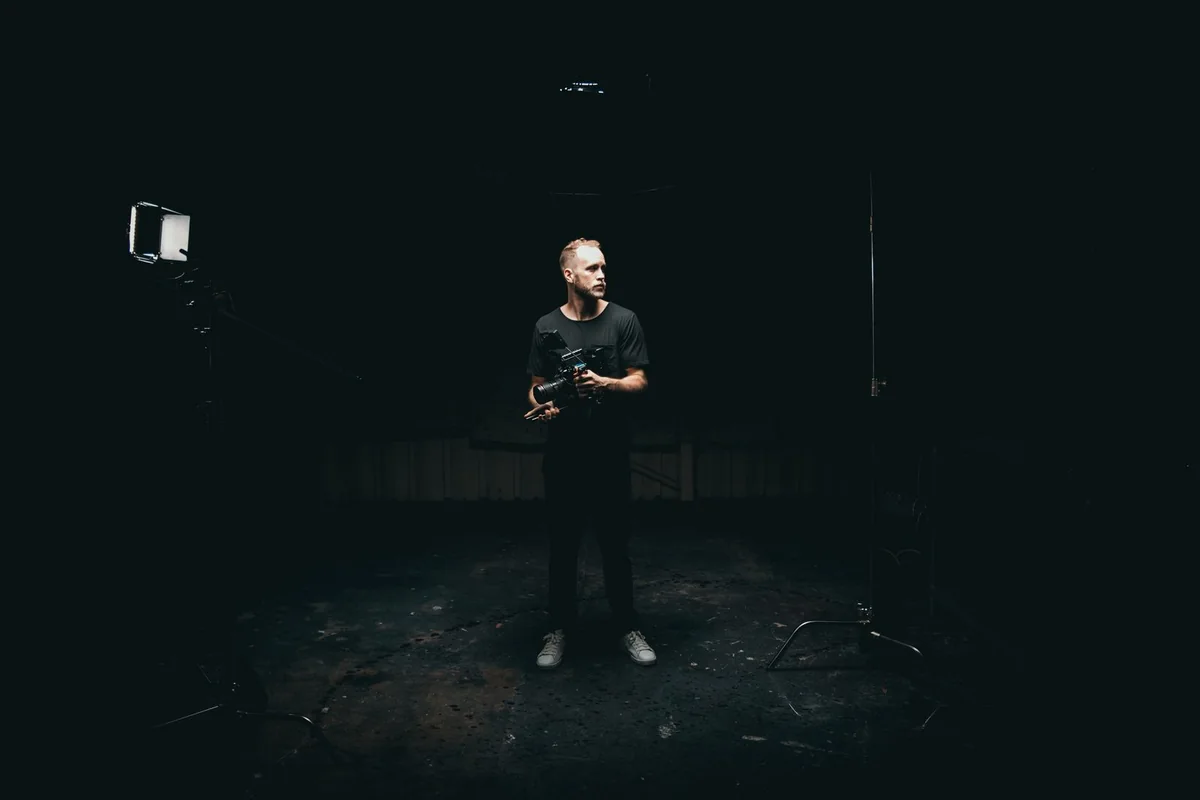 ▶ 00:04
- Queued
- Rendering
- Result available
Example job stages; this preview is a still image.
Public product tour · sample workflow, no live customer data.
Repurpose
One source, a version for each platform
Paste source content, choose target platforms, tone and language, and review each rewritten version.
Source content
Our repair workshop opens Saturday. Bring a favorite everyday item and learn a simple repair with the team.
Save your Saturday. Give a favorite item a second chapter.
A practical community session on repair, reuse and everyday design.
Join us this Saturday. What would you like to learn to repair?
Public product tour · sample workflow, no live customer data.
Calendar Planner
Build a dated content plan
Name the plan, choose a start date and number of days, then generate from your campaign brief.
Introduce the workshop
Explain what participants will learn.
Show the process
Share one useful repair detail.
Invite the community
Confirm the time and preparation list.
Public product tour · sample workflow, no live customer data.
AI Review
Give the draft a quality pass
Paste a draft and choose the output language to inspect review feedback and suggested changes.
Draft to review
Our best workshop ever! Everyone will love it. Join on Saturday.
- Output language
- English
74 / 100 · Example score
Needs one more revision pass
- Strength
- Includes an invitation and a day.
- Risk
- “Everyone” and “best ever” are unsupported.
- Fix
- Add a specific benefit, time and booking details.
Public product tour · sample workflow, no live customer data.
Posting schedule suggestions
Read your historical publishing pattern
Select connected accounts and inspect schedule suggestions based on available publishing history. This does not predict engagement.
Suggestions from publishing history
TUE09:00
WED14:00
FRI10:00
SAT11:00
Sample history-based slots. These summarize past publishing patterns and do not predict reach, engagement or a universal best time.
Public product tour · sample workflow, no live customer data.
Semantic Search
Find a saved caption by intent
Describe what you are looking for and review matching reusable captions.
Community workshop invitation
Learn one practical repair with our studio team this Saturday.
Weekend event reminder
Your place is ready. Check the time and what to bring.
Public product tour · sample workflow, no live customer data.
Prompt History
Return to an earlier generation
Review saved tool requests and results; edit or remove history from the workspace.
| Tool | Request | Language | History actions |
|---|---|---|---|
| AI Content | Travel mug launch | English | View · edit · delete |
| Repurpose | Repair workshop | English | View · edit · delete |
| Campaign Wizard | Autumn campaign | English | View · edit · delete |
Public product tour · sample workflow, no live customer data.
Credit Usage
Check the balance and each usage entry
Inspect available credits, consumed amounts and recorded actions in your workspace ledger.
Available credits920
Consumed80
Entries12
| Action | Change | Source |
|---|---|---|
| Caption generation | −1 | AI Studio |
| Image generation | −3 | AI Image |
Illustrative amounts; actual costs follow plan and action settings.
Public product tour · sample workflow, no live customer data.
AI Settings
Keep writing defaults and brand context together
Configure user defaults and available workspace brand settings before generating content.
User defaults
- Review language
- English
- Preferred tone
- Professional
Your defaults apply when opening the AI tools.
Workspace Brand Kit
- Brand name
- Lumen Goods
- Target audience
- Everyday commuters
- Voice principles
- Clear, useful, calm
- Preferred words
- Refill · reuse
Public product tour · sample workflow, no live customer data.
Campaign Wizard
Turn an offer into a dated campaign
Set campaign name, goal, offer, audience, dates and connected accounts; review the daily timeline before creating drafts.
Campaign brief
- Campaign name
- Refill week
- Goal
- Introduce the new mug
- Offer / product
- Refillable travel mug
- Audience
- City commuters
- Start / days
- 20 OCT / 7
- Accounts
- Facebook · Instagram
- Language / tone
- English · Friendly
Daily publishing plan
Meet the mug
Platform caption + draft direction
Show the lid in use
Platform caption + draft direction
Pick an everyday color
Platform caption + draft direction
Public product tour · sample workflow, no live customer data.
Competitor Strategy
Compare positioning and find content openings
Describe your brand, industry, market, audience and competitors to generate a strategy report for the selected platforms.
Brand: Lumen GoodsIndustry: Reusable drinkwareMarket: UKAudience: CommutersPlatforms: Instagram · LinkedIn
Competitor input
Example brand A · product page and public profile\nExample brand B · product page and public profile
Show the everyday use case
Test a commuter-focused story against a material-focused story.
Answer a buying question
Demonstrate lid care and what fits inside a bag.
Illustrative strategy output based on supplied context, not private competitor performance data.
Public product tour · sample workflow, no live customer data.
Captions
A searchable library of reusable captions
Filter manual and AI entries by status; manage the caption name, body, tags and internal notes.
MANUALActive
Product introduction
Meet the refillable mug made for your everyday commute.
# product, launchEdit · duplicate · delete
AIDraft
Workshop invitation
Bring a favorite item. Learn a simple repair with the studio team.
# community, workshopEdit · duplicate · delete
MANUALArchived
Previous launch
The first chapter of our studio collection.
# archiveEdit · duplicate · delete
Caption editorName · source · status · caption · tags · notes
Public product tour · sample workflow, no live customer data.
Groups
Organize accounts around a useful grouping
Use the installed Groups module to organize recurring account selections and reduce mistakes when preparing content.
Autumn launch
Brand campaign accounts
Facebook · Instagram · TikTokActiveStudio updates
Editorial and company updates
LinkedIn · FacebookActiveCreator stories
Video and visual channels
Instagram · YouTubeActivePublic product tour · sample workflow, no live customer data.
Watermark
Set an account-specific image or text watermark
Choose an account, watermark type, position, opacity and scale, and inspect the image preview.
Watermark settings
- Account
- MeDash · Instagram
- Watermark type
- Text (image also available)
- Text
- MeDash
- Position
- Bottom right
- Opacity / scale
- 70% / 30%
- Style / weight
- Glass / semibold

 MeDash
Preview the selected overlay before saving.
Public product tour · sample workflow, no live customer data.
Link Bio
Keep profile destinations organized
Use the Link Bio module for the destinations you manage. Verify the public page and each campaign link before placing it in a social profile.
Build a page for your profile
- Title
- Studio Everyday
- Slug
- studio-everyday
- Headline
- Made for your everyday
- Appearance
- Avatar · accent · buttons
 Studio Everyday
Objects, stories and the people behind them.
Explore the collection ↗Read our journal ↗Ask a question ↗Public product tour · sample workflow, no live customer data.
Search Media Online
Find a candidate, verify the usage rights
Use enabled media-search providers to find candidates. Check licensing and attribution requirements before adding a file to a commercial campaign.
Everyday storiesPhotos
SourcesUnsplashPexelsPixabay
 Photo preview
 Photo preview
 Photo preview
 Photo preview
 Photo preview
 Photo preview
Browse example results. Live sources depend on enabled providers; check the selected photo’s license before importing.
Public product tour · sample workflow, no live customer data.
Support
Keep the support request specific
Use the existing support area with the affected account, action and error context. Do not include social passwords or API secrets in a ticket.
Open2
Resolved5
Unread1
Your support tickets
#1042Reconnect an Instagram accountOpen
#1036Where to find delivery resultsResolved
New ticket: choose a category, add a subject and describe the issue. Replies stay in the ticket history.
Public product tour · sample workflow, no live customer data.
Affiliate
Review the existing referral workspace
Referral availability, commission terms and payout information follow the administrator’s existing affiliate settings.
Your referral details
- Referral code
- STUDIO-DEMO
- Referral link
- https://example.com/?ref=STUDIO-DEMO
- Commission
- Configured by the administrator
Share your own referral link and review eligible activity in the affiliate area.
Withdrawal request
- Amount
- Within available balance
- Payment method
- Choose an enabled method
- Payment details
- Your payout destination
Eligibility, minimum withdrawal and payout rules follow the current program settings.
Public product tour · sample workflow, no live customer data.
A BETTER CONTENT RHYTHM
From the first idea to the next insight.
Follow one post through a connected workflow. Let what you learn shape what you create next.
- 01
Create
Turn a brief into an editable draft.
- 02
Schedule
Choose channels and local publishing times.
- 03
Publish
Follow delivery status in one calendar.
- 04
Connect
Handle supported messages and comments.
- 05
Learn
Review available metrics. Plan the next test.
 creative-direction.webp



Create · Schedule · Publish · Connect · LearnUse the results to shape your next content cycle.
LESS FRICTION. MORE FLOW.
Built for the way your team actually works.
Your calendar, creative tools, conversations and reports — connected by one shared workspace.
Plan & publish
One calendar. Every campaign. Prepare drafts, schedule across time zones and follow each publishing result.
Explore feature


AI content studio
Go from a concrete brief to editable captions, content plans and fresh variations, with credit usage visible.
Explore feature creative-direction.webp
Social inbox
Keep supported conversations close to the team that creates your content.
Explore featureAnalytics & insights
Bring available account and post metrics into your planning conversation.
Explore featureWorkflow automation
Connect RSS schedules, bulk publishing, webhooks and repeatable content routines.
Explore featureTeams & media
Give people the right access and keep reusable creative assets together.
Explore feature

 Shared assets
MORE OF YOUR DAILY WORK, CONNECTED
Practical tools behind every campaign.
Explore the controls, setup steps and answers for the modules inside your customer workspace.
Browse the product guide →YOUR TEAM. YOUR WAY.
Make room for your kind of growth.
From your first brand account to a portfolio of clients, build a workflow around your work.
01
Brand marketing
Keep campaign ideas, brand voice and publishing schedules aligned across channels.
02Social media agencies
Organize client accounts, delegate access and review publishing outcomes without sharing passwords.
03Creators & small teams
Batch the repetitive work and leave more space for the ideas only you can create.
04E-commerce
Plan product stories, seasonal launches and UTM-tagged campaign links across your social channels.
05News & media
Turn an editorial pipeline into reviewed drafts, RSS schedules and clear delivery records.
06Local businesses
Keep opening-hour updates, offers and community stories consistent with the accounts you connect.
07AI company creator marketing
Plan AI creator campaigns around product adoption: briefs, proof, channel versions and measurable next steps.
08AI creator sponsorship workflow
Build credible AI demos, pitch useful sponsorships and organize bilingual content across social channels.
09Short drama & AI short drama marketing
Plan short drama launches, organize AI drama assets, schedule supported social channels and measure campaign links with MeDash.
A PLAN FOR YOUR NEXT CHAPTER
Start where you are. Grow from here.
Compare accounts, team seats, included credits and available tools. Choose the capacity your work needs.
Starter
Choose by your account count and publishing needs.
For solo creators and small brands starting with consistent Facebook and Instagram publishing.
Monthly payment
$12.00
per month
USD
Choose monthly payment(7-day free trial)
Annual payment, paid upfront
$120.00per yearUSD
One payment covers 12 months. Equivalent to $10.00 per month.
Annual limits differ from monthly limits. Review the annual allowance below.
View annual plan limits and features
- 5 Connected social accounts
- 600 Scheduled posts per month
- 2 Team members
- 4,800 Included credits per billing period
- Plan and schedule content in one calendar
- Review performance on supported networks
- Manage supported messages and comments
- Delegate work with team permissions
- Access Features
- AI Studio
- Team member · 2
- URL Shortener
- Watermark
- Premium Support
- Link Bio
- AI Bio Assistant
- Monthly plan allowance
- 5 Connected social accounts
- 600 Scheduled posts per month
- 2 Team members
- 480 Included credits per billing period
View included features
- Plan and schedule content in one calendar
- Review performance on supported networks
- Manage supported messages and comments
- Delegate work with team permissions
- Access Features
- AI Studio
- Team member · 2
- URL Shortener
- Watermark
- Premium Support
- Link Bio
- AI Bio Assistant
Growth
RecommendedChoose by your account count and publishing needs.
For teams running recurring campaigns, queues, bulk publishing, and smarter content workflows.
Monthly payment
$36.00
per month
USD
Choose monthly payment(7-day free trial)
Annual payment, paid upfront
$360.00per yearUSD
One payment covers 12 months. Equivalent to $30.00 per month.
Annual limits differ from monthly limits. Review the annual allowance below.
View annual plan limits and features
- 16 Connected social accounts
- 2,400 Scheduled posts per month
- 5 Team members
- 14,400 Included credits per billing period
- Plan and schedule content in one calendar
- Manage supported messages and comments
- Delegate work with team permissions
- Access Features
- AI Studio
- Team member · 5
- URL Shortener
- Watermark
- Premium Support
- Link Bio
- AI Bio Assistant
- Monthly plan allowance
- 15 Connected social accounts
- 2,400 Scheduled posts per month
- 5 Team members
- 1,440 Included credits per billing period
View included features
- Plan and schedule content in one calendar
- Review performance on supported networks
- Manage supported messages and comments
- Delegate work with team permissions
- Access Features
- AI Studio
- Team member · 5
- URL Shortener
- Watermark
- Premium Support
- Link Bio
- AI Bio Assistant
Agency
Choose by your account count and publishing needs.
For agencies and high-volume operators managing multiple brands, workspaces, and publishing pipelines.
Monthly payment
$79.00
per month
USD
Choose monthly payment(7-day free trial)
Annual payment, paid upfront
$790.00per yearUSD
One payment covers 12 months. Equivalent to $65.83 per month.
Annual limits differ from monthly limits. Review the annual allowance below.
View annual plan limits and features
- 40 Connected social accounts
- 8,000 Scheduled posts per month
- 15 Team members
- 31,600 Included credits per billing period
- Plan and schedule content in one calendar
- Review performance on supported networks
- Manage supported messages and comments
- Delegate work with team permissions
- Access Features
- AI Studio
- Team member · 15
- URL Shortener
- Watermark
- Premium Support
- Link Bio
- AI Bio Assistant
- Monthly plan allowance
- 39 Connected social accounts
- 8,000 Scheduled posts per month
- 15 Team members
- 3,160 Included credits per billing period
View included features
- Plan and schedule content in one calendar
- Review performance on supported networks
- Manage supported messages and comments
- Delegate work with team permissions
- Access Features
- AI Studio
- Team member · 15
- URL Shortener
- Watermark
- Premium Support
- Link Bio
- AI Bio Assistant
Network capabilities depend on account type, permissions and platform APIs. AI and paid API usage consume credits. Renewal, taxes and payment terms are shown at checkout.
The free trial starts through registration. Buying a plan at checkout starts the paid billing period. Trial access and limits are listed in the workspace trial plan. Try the workspace first
SMALL TOOLS. USEFUL EVERY DAY.
All free tools ↗A little help for your next post.
FREE
Engagement rate calculator
Calculate interactions divided by followers or impressions. See the formula and compare like for like.
Open tool →FREECampaign URL builder
Build trackable social campaign links with source, medium and campaign tags.
Open tool →FREESocial caption counter
Count characters, words and hashtags. Review common platform limits before you publish.
Open tool →FREEPosting time converter
Convert a precise moment into your audience’s timezone, including daylight saving rules.
Open tool →FREESocial image resizer
Fit your own image to square, portrait or story dimensions and download it locally.
Open tool →FREESocial post preview
Preview a caption and your own image in a simple social card before scheduling.
Open tool →CHOOSE WITH CONTEXT
Find the right fit. Ask better questions.
A useful comparison starts with your account count, team size, content volume and reporting needs. Our guides give you a clear checklist.
GOOD IDEAS, SHARED
Explore the journal ↗A smarter social playbook.

Short Drama Distribution & Campaign Attribution
Map short drama channels to the viewer journey, standardize UTM tags and separate social engagement from verified app conversions.
Read article ↗
AI Short Drama Marketing: Assets to Launch
Turn AI drama assets into reviewed campaign versions. Use a practical brief, localization checklist and disclosure workflow before s...
Read article ↗
Short Drama Marketing: A 14-Day Launch Playbook
Build a short drama launch plan with a 14-day calendar, creative testing matrix, episode handoffs and practical publishing checks.
Read article ↗How do monthly and annual payments compare?
Monthly plans charge for one month. Annual plans show the total paid upfront for 12 months and the equivalent monthly cost. Any savings compare equivalent plans in the same currency. Review renewal and payment terms at checkout.
Which plan suits my team?
Compare connected accounts, scheduled posts, team members and included credits first. Solo creators can start small; brand teams need shared workflows; agencies should check account capacity and member permissions. Contact us if you need help choosing.
Does every network support the same features?
No. Publishing formats, inbox access and analytics vary by network, account type and approved API permissions. Check the available connection and publishing options for your accounts before choosing a plan.
How are AI credits used?
AI and supported paid API operations use the credit balance shown in your workspace. Model and token usage can affect cost. Local template fallbacks in content planning and repurposing are identified and are not charged as AI generations. Historical scheduling suggestions are free.
Can team members work without sharing social passwords?
Connected accounts are authorized through the supported connection flow. Workspace owners can assign roles and account access. Members can only use the features and accounts allowed by the plan and their workspace permissions.
What should I do if a post has an unconfirmed delivery?
Check the destination social account before retrying. A platform may accept a post even when its response times out. MeDash marks uncertain deliveries for review instead of automatically sending the same content again.
One place for your social world