


Start with the destination URL
Paste the full HTTP or HTTPS landing page, including necessary product parameters and the fragment. The builder parses the URL rather than joining raw strings.
Build trackable social campaign links with source, medium and campaign tags.
Free browser-based utility. No social login, no API quota, no account required.
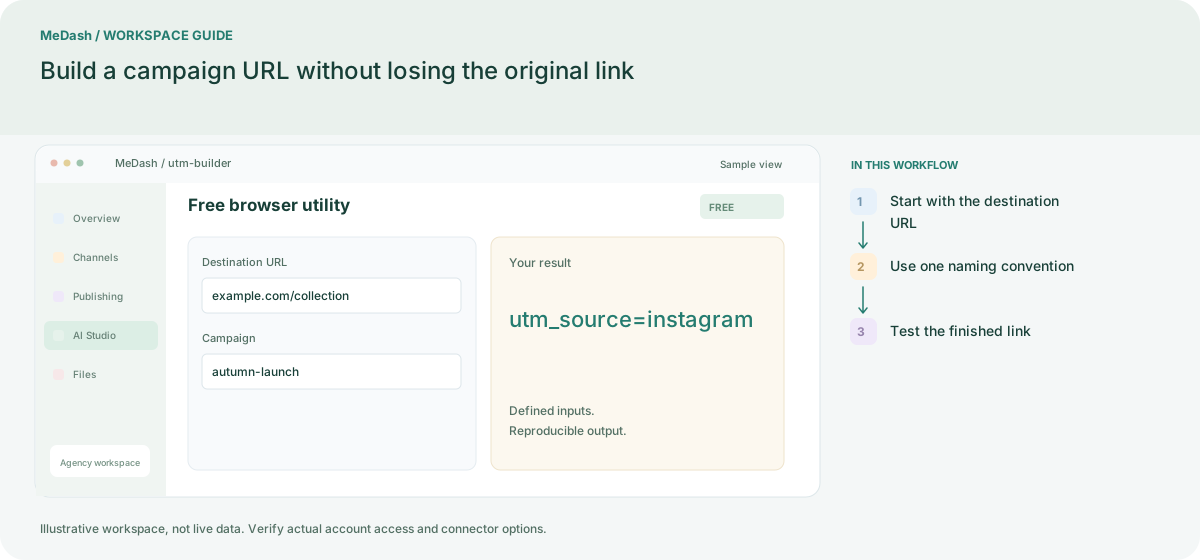
Paste the full HTTP or HTTPS landing page, including necessary product parameters and the fragment. The builder parses the URL rather than joining raw strings.
Set source to the platform, medium to the distribution type and campaign to the activity. For two creative variants, keep those three fields fixed and change content.
Generate and copy the URL, then open it and confirm the page and analytics collection. The tool adds tags; your configured analytics system records visits.
For one launch, use instagram as source, organic_social as medium and autumn_launch as campaign. Use content to distinguish a story from a profile link. Keep spelling consistent; this tool tags links and does not collect analytics by itself.
Paste the full HTTP or HTTPS landing page, including necessary product parameters and the fragment. The builder parses the URL rather than joining raw strings. Generate and copy the URL, then open it and confirm the page and analytics collection. The tool adds tags; your configured analytics system records visits.
An operating example, not a customer case study or a performance promise.
| Task | Separate preparation | With MeDash |
|---|---|---|
| URL structure | Append tags manually and risk breaking an existing query or anchor. | Build an encoded campaign URL while retaining the destination structure. |
| Naming rules | Use Instagram, instagram and IG for the same source. | Adopt one source, medium and campaign convention before generating links. |