


Choose a precise UTC moment
Enter the date as well as the time in UTC. A bare label such as 9 AM cannot identify the same moment for collaborators in different regions.
Convert a precise moment into your audience’s timezone, including daylight saving rules.
Free browser-based utility. No social login, no API quota, no account required.
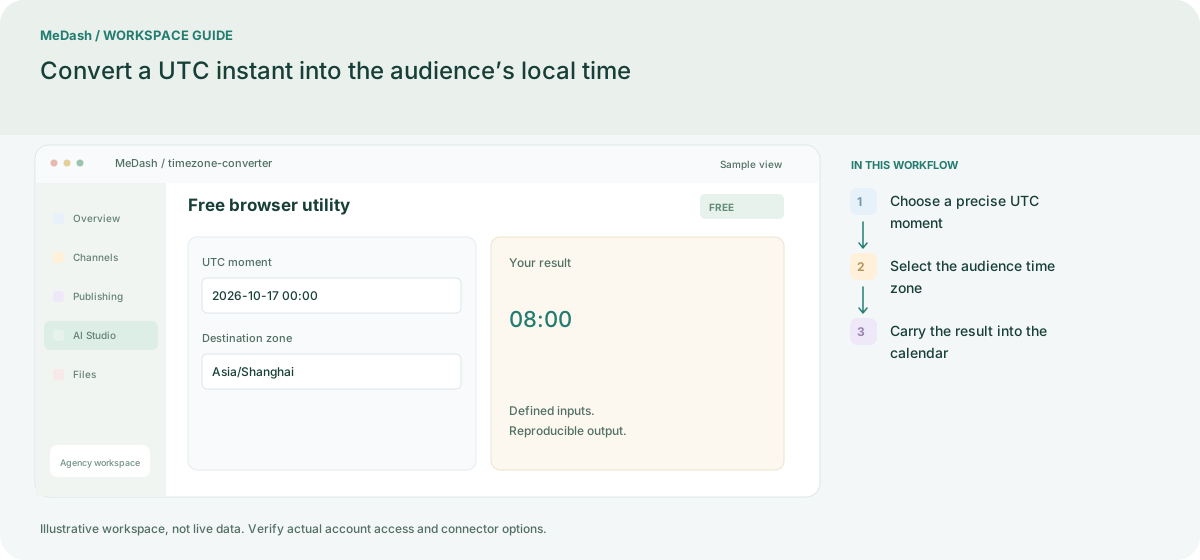
Enter the date as well as the time in UTC. A bare label such as 9 AM cannot identify the same moment for collaborators in different regions.
Choose an IANA zone such as Asia/Shanghai or America/New_York. The browser applies the daylight-saving rule for the chosen date instead of assuming a permanent numeric offset.
Copy the local date and time together with the zone. For example, 2026-10-17 00:00 UTC is 08:00 in Shanghai. Recheck the date when a conversion crosses midnight.
2026-10-17 00:00 UTC is 08:00 in Asia/Shanghai. A location with daylight saving can have a different UTC offset on another date, so save the instant and named zone instead of relying on a fixed offset alone.
Enter the date as well as the time in UTC. A bare label such as 9 AM cannot identify the same moment for collaborators in different regions. Copy the local date and time together with the zone. For example, 2026-10-17 00:00 UTC is 08:00 in Shanghai. Recheck the date when a conversion crosses midnight.
An operating example, not a customer case study or a performance promise.
| Task | Separate preparation | With MeDash |
|---|---|---|
| Exact moment | Share “9 AM” without a date or time zone. | Convert a dated input into the selected destination time zone. |
| Seasonal changes | Apply the same UTC offset throughout the year. | Use a named IANA zone so the selected date determines daylight-saving behavior. |