


Confirm the creator connection
Connect the TikTok identity through the installed authorization flow. Check the account and the posting options returned for it; the configured application and provider approval can affect available actions.
Prepare a vertical video and a caption that fits its context. Check the connected account’s creator options and the available media validation before scheduling.
Compare plans ↗
Enabled account types: TikTok Profile
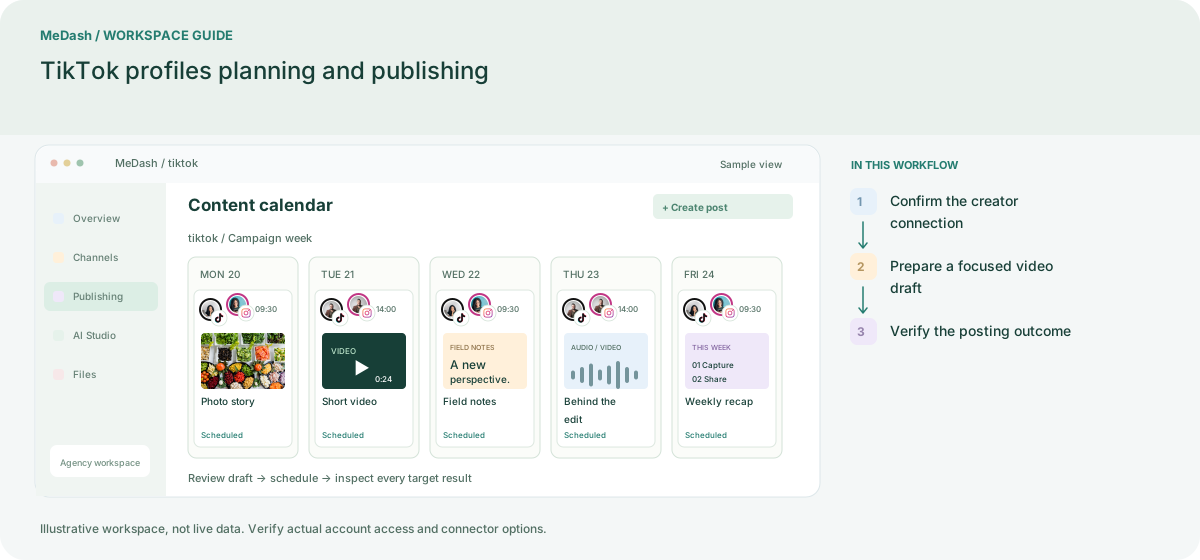
Connect the TikTok identity through the installed authorization flow. Check the account and the posting options returned for it; the configured application and provider approval can affect available actions.
Keep the video, caption and campaign objective together. Check the actual file and the destination settings offered in the composer. A preparation preview helps with readability but cannot promise a native TikTok rendering.
Review the delivery response after processing. If authorization or processing leaves the outcome uncertain, check the destination before repeating the submission. Use your own published results when planning another video.
Review the per-target outcome after submission. The current social inbox documentation does not promise TikTok direct messages or comments in the unified inbox.
Prepare one clear demonstration, check the account-specific posting options and inspect the result before expanding the batch.
An operating example, not a customer case study or a performance promise.
| Task | Separate preparation | With MeDash |
|---|---|---|
| Video preparation | Share a video file separately from its caption and publishing brief. | Keep the video and caption with the selected TikTok target. |
| Posting options | Reuse settings from another creator account. | Review the options actually offered by the connected account and application. |
Available controls depend on the connected identity, application configuration and provider approval. Check the options returned for the actual target.
Review connected accounts, team seats, monthly publishing volume, storage and included credits. Feature availability follows your plan and workspace permissions.
Choose by your account count and publishing needs.
For solo creators and small brands starting with consistent Facebook and Instagram publishing.
Monthly payment
Annual payment, paid upfront
One payment covers 12 months. Equivalent to $10.00 per month.
Annual limits differ from monthly limits. Review the annual allowance below.
Choose by your account count and publishing needs.
For teams running recurring campaigns, queues, bulk publishing, and smarter content workflows.
Monthly payment
Annual payment, paid upfront
One payment covers 12 months. Equivalent to $30.00 per month.
Annual limits differ from monthly limits. Review the annual allowance below.
Choose by your account count and publishing needs.
For agencies and high-volume operators managing multiple brands, workspaces, and publishing pipelines.
Monthly payment
Annual payment, paid upfront
One payment covers 12 months. Equivalent to $65.83 per month.
Annual limits differ from monthly limits. Review the annual allowance below.
Network capabilities depend on account type, permissions and platform APIs. AI and paid API usage consume credits. Renewal, taxes and payment terms are shown at checkout.