


Discord channels planning and publishing
Discord channels planning and publishing: Select the authorized channel and verify posting rights.; Inspect the delivery record and confirm the destination if needed.. Includes a review example.
Discord channels planning and publishing: practical steps, handoffs and completion checks.
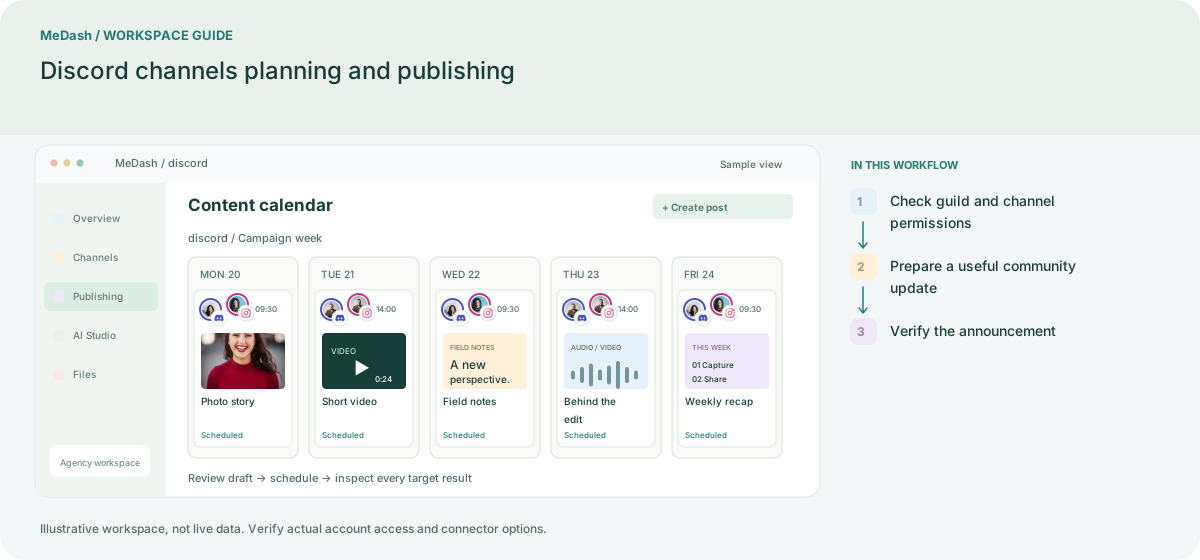
Check guild and channel permissions
Connect using the enabled Discord channel flow and select the intended destination. Confirm the integration can post in that channel; access to a server does not imply permission in every channel.
Prepare a useful community update
Write the announcement for the channel topic, check the link and compatible attachments, and review any role mentions carefully. Keep recurring community updates separate from urgent moderation tasks.
Verify the announcement
Inspect the delivery record and the selected channel after processing. Publishing to a Discord channel does not promise a Discord inbox or moderation automation module.
What to check in this workspace
Check the destination channel and delivery record. Publishing to a channel is not a promise of full Discord moderation or complete message-history synchronization.
A release note for a community
Keep a short changelog and documentation link in the intended announcement channel, with channel access checked.
Separate preparation and workspace handoffs
| Task | Separate preparation | MeDash |
|---|---|---|
| Announcement channel | Copy a notice into channels by display name. | Select the authorized channel and verify posting rights. |
| Release follow-up | Assume sending a file confirms the final announcement. | Inspect the delivery record and confirm the destination if needed. |
Completion checklist
- Select the authorized channel and verify posting rights.
- Inspect the delivery record and confirm the destination if needed.