


YouTube channels planning and publishing
YouTube channels planning and publishing: Verify the connected YouTube channel before preparing the upload.; Keep upload content together and inspect the target processing result.. Includes a review example.
YouTube channels planning and publishing: practical steps, handoffs and completion checks.
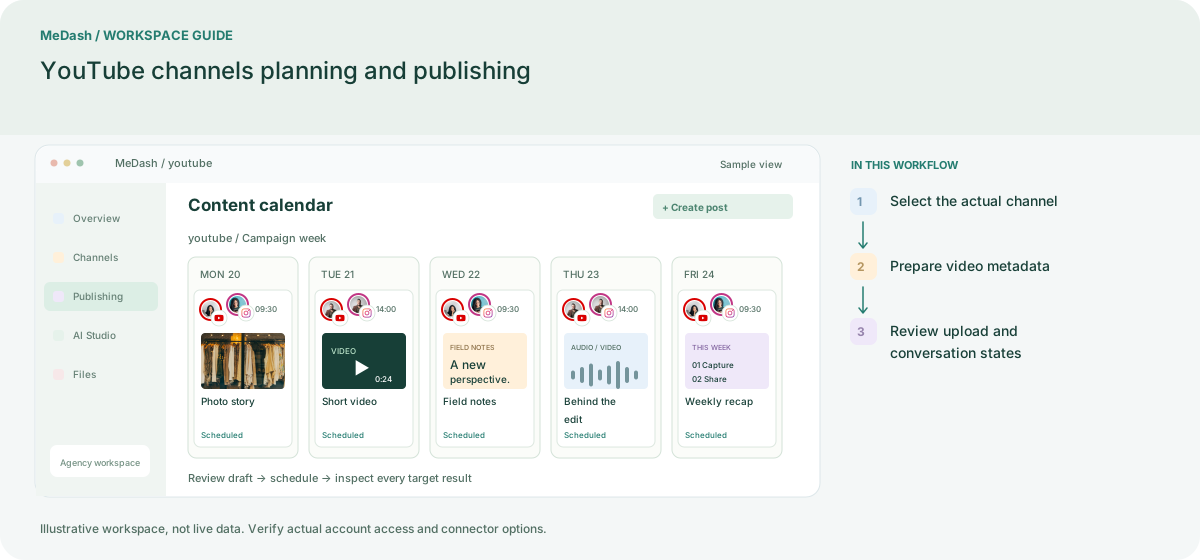
Select the actual channel
Connect the Google identity that manages the intended YouTube channel, then check the selected channel name. A Google login alone does not establish access to every channel managed by a team.
Prepare video metadata
Keep the video, title and description in one draft. Review the upload settings exposed by the installed connector and test a small file before planning a larger batch.
Review upload and conversation states
Inspect delivery after processing, allowing for provider-side work where applicable. Supported YouTube comments belong to the inbox connector; comment handling and video publishing have separate access requirements.
What to check in this workspace
YouTube comments have a dedicated inbox provider. Video upload, comment replies and analytics are separate capabilities, so test the ones your workflow needs.
A recurring education channel
Prepare a tutorial with a checked title and description; keep upload results separate from comment follow-up.
Separate preparation and workspace handoffs
| Task | Separate preparation | MeDash |
|---|---|---|
| Channel identity | Assume a Google sign-in selects the correct brand channel. | Verify the connected YouTube channel before preparing the upload. |
| Upload handoff | Track a video file, title and description in separate documents. | Keep upload content together and inspect the target processing result. |
Completion checklist
- Verify the connected YouTube channel before preparing the upload.
- Keep upload content together and inspect the target processing result.