


AI content production with an editable brief
AI content production with an editable brief: Generate with enabled Studio tools and review the editable result.; Open Campaign Wizard and Competitor Strategy from the Studio submenu.; Check included credits and current model costs before expanding generation.. Includes a review example.
AI content production with an editable brief: practical steps, handoffs and completion checks.
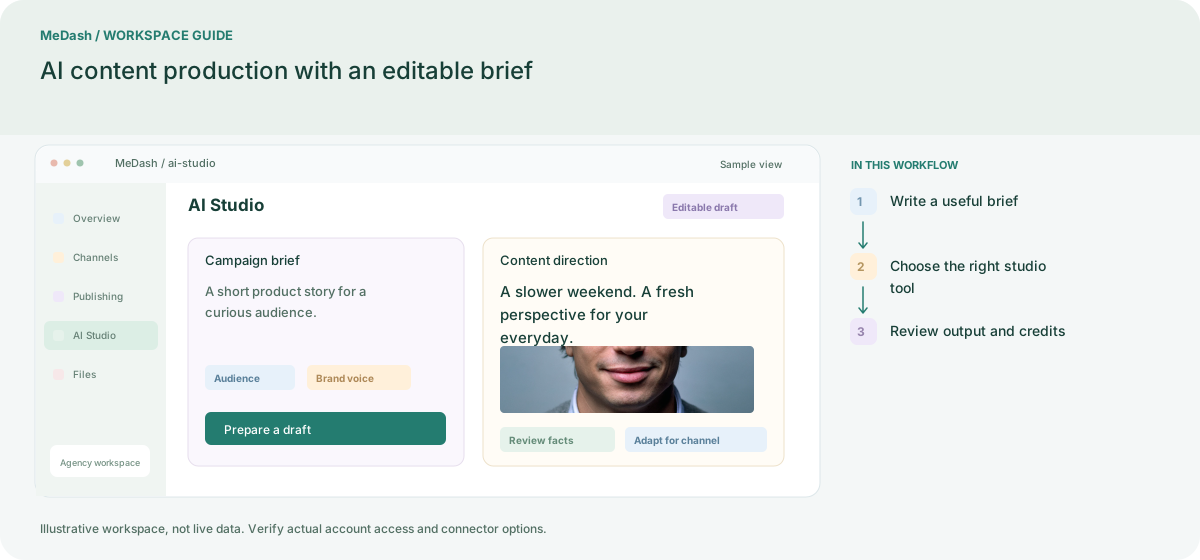
Write a useful brief
Describe the audience, product facts, tone, channel and desired action. Add only source material you can verify. The same brief can guide a caption variation, campaign plan or content reuse task.
Choose the right studio tool
Use AI Content for captions, Repurpose for new versions, and the planner for a draft calendar. Campaign Wizard and Competitor Strategy live under AI Studio, so planning tasks share the same workspace entry.
Review output and credits
Inspect facts, rights, dates and links before moving generated work to publishing. Compare the available model, cost and remaining credits; a generated strategy is a planning draft rather than verified competitor analytics.
What to check in this workspace
Treat the output as a draft. Verify product claims, dates, links and rights to media before moving it to publishing. Model and API actions use the existing credit system; compare included credits and additional packs in the live Plans configuration.
A brief becomes a reviewed campaign
An editor supplies the audience, verified product facts and brand constraints. Campaign Wizard prepares a direction; available Studio tools help with copy and visuals. Competitor Strategy provides research material to verify, and the editor approves the final drafts before scheduling.
Separate preparation and workspace handoffs
| Task | Separate preparation | MeDash |
|---|---|---|
| Brief and output | Copy a prompt into a separate AI service and move results back. | Generate with enabled Studio tools and review the editable result. |
| Campaign planning | Keep campaign drafts and competitor research in unrelated documents. | Open Campaign Wizard and Competitor Strategy from the Studio submenu. |
| Usage visibility | Track AI purchases separately from the content workflow. | Check included credits and current model costs before expanding generation. |
Completion checklist
- Generate with enabled Studio tools and review the editable result.
- Open Campaign Wizard and Competitor Strategy from the Studio submenu.
- Check included credits and current model costs before expanding generation.