


Deliver social content across client workspaces
Deliver social content across client workspaces: Select the client workspace and assign permitted contributors.; Keep the content review in the enabled approval workflow.. Includes a review example.
Deliver social content across client workspaces: practical steps, handoffs and completion checks.
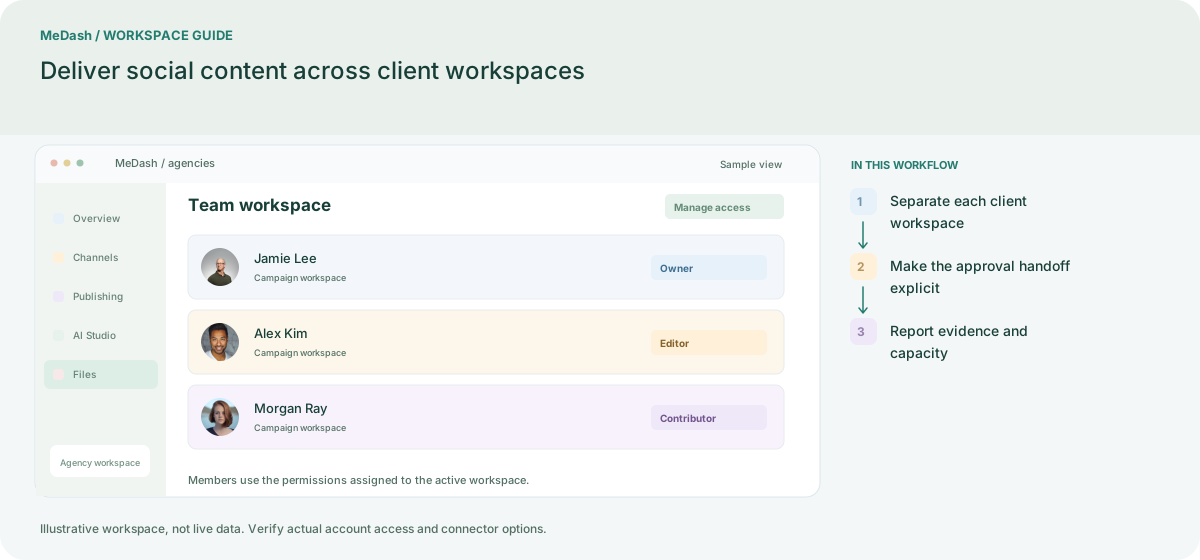
Separate each client workspace
Connect only the accounts the agency is authorized to manage and document the client owner. Check account and seat capacity before adding another client, rather than mixing destinations in one recurring selection.
Make the approval handoff explicit
Use campaign labels and the available approval role to move prepared drafts to a reviewer. Include links, dates and expected destinations so the client can assess the actual content.
Report evidence and capacity
Review each destination outcome and show available metrics with their period. Compare Plans using the same client-account distribution, seats, storage and expected AI workload, not just the base subscription price.
What to check in this workspace
Count connected accounts, collaborators, expected monthly posts, storage and AI usage before comparing Plans. Seat-based and per-channel competitor quotes use different units; compare the same workload and billing period.
Two clients, separate working contexts
The account manager selects the correct team before checking its accounts and drafts. Each client has a distinct review and calendar handoff; the agency checks role permissions before inviting another contributor.
Separate preparation and workspace handoffs
| Task | Separate preparation | MeDash |
|---|---|---|
| Client separation | Manage every brand through one shared account login. | Select the client workspace and assign permitted contributors. |
| Approval evidence | Search emails for the final approved media version. | Keep the content review in the enabled approval workflow. |
Completion checklist
- Select the client workspace and assign permitted contributors.
- Keep the content review in the enabled approval workflow.